Sending mail as Microsoft: an open SMTP relay on port 25
A mail server was found accepting email from anyone, addressed to anyone, claiming to be anyone, with no login at all. That is an open relay, and it quietly turns one forgotten server into a phishing engine.
A port scan turned up a mail server listening on port 25, the plain SMTP port. That by
itself is normal. What was not normal is what it agreed to do: it accepted an email
from a sender I made up, addressed to a recipient it did not host, and delivered it,
without ever asking me to log in. In other words, an open relay. I
could hand it a message that claimed to be from support@microsoft.com and
it would pass it along as if that were true. Reported through a bug bounty program, and
resolved.
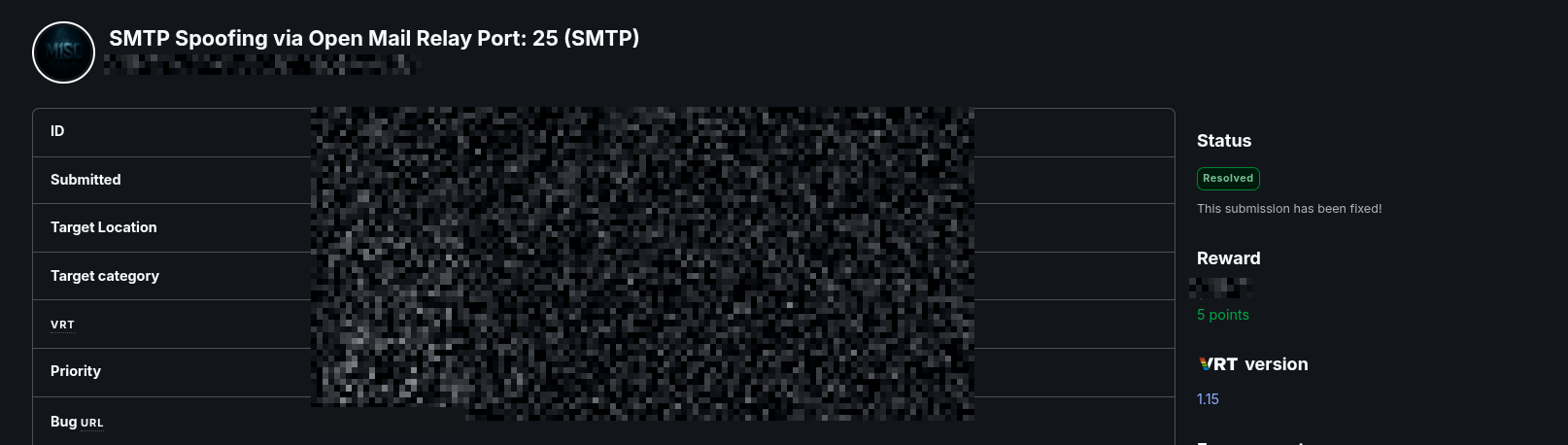
What an open relay is, in plain terms
Email moves between servers over a simple text protocol called SMTP. When a server receives a message, it should ask one of two questions before it agrees to send it on:
- Are you one of mine? That is, are you an authenticated user of this server, allowed to send mail through it?
- Is this for me? That is, is the message addressed to a domain this server actually hosts?
If neither is true, the server should refuse. A server that answers "sure, go ahead" to strangers sending mail to strangers is an open relay. It is a free, already-trusted machine that anyone can launder mail through, and it is exactly what spammers and phishers hunt for.
In SMTP, the "from" address is just a claim the sender types in. Nothing about the
protocol proves it. It is the receiving server's job to decide whether to believe it.
An open relay believes all of it, so I can put support@microsoft.com in
the from line and the server will carry that message as if Microsoft sent it.
Proving it with swaks
swaks is a small tool that speaks SMTP for you, so the whole test is one line: send a message to a recipient, from a made-up sender, through the target server. The transcript below has the specific server and recipient replaced with placeholders; everything else is exactly what the server said back.
$ swaks --to admin@example.net --from support@microsoft.com --server <relay>

=== Trying <relay>:25...
=== Connected to <relay>.
<-  220 mail.example.net ESMTP service ready
 -> EHLO kali
<-  250-mail.example.net says hello
<-  250-AUTH CRAM-MD5
<-  250 DSN
 -> MAIL FROM:support@microsoft.com
<-  250 2.1.0 MAIL ok                     # the forged sender is accepted
 -> RCPT TO:admin@example.net
<-  250 2.1.5 admin@example.net ok        # a recipient it does not host, accepted
 -> DATA
<-  354 send message
 -> Subject: test
 -> From: support@microsoft.com
 -> This is a test mailing
 -> .
<-  250 2.6.0 message received            # delivered
 -> QUIT
<-  221 2.0.0 mail.example.net says goodbye
Every step the server should have stopped, it waved through. It never asked me to
authenticate. It accepted a MAIL FROM of a domain I have no relationship
with. It accepted a recipient it does not host. And it delivered the message. Swap
microsoft.com for a bank, a government office, or the target's own domain,
and you have a convincing phishing email sent from a real, reputable-looking server.
Why it matters
- Impersonation of any brand. The from address can be anyone. Mail that appears to come from a trusted name is the single most effective ingredient in phishing.
- It launders reputation. The mail leaves a real server rather than an obviously shady one, which helps it slip past filters and past the reader's suspicion.
- Supply-chain reach. Impersonating a vendor lets an attacker target that vendor's customers and partners, not just random inboxes.
- Collateral damage to the host. A relay used for spam gets its IP and domain blacklisted, which quietly breaks legitimate mail from that server too.
But doesn't SPF, DKIM and DMARC stop this?
Those three are the standard defences against email spoofing, and they are worth knowing in one line each. SPF lets a domain publish which servers are allowed to send its mail. DKIM cryptographically signs a message so a receiver can verify it was not tampered with. DMARC ties the two together and tells receivers what to do when a message fails, up to rejecting it.
The catch is that all three are checked by the receiving side. They help only when the receiving mail systems actually enforce them, and plenty do not enforce them strictly. An open relay is a problem on the sending side, and it hands an attacker a working launch pad regardless. The relay is the hole to close; the three standards are the safety net that should catch whatever gets through.
The fix
- Require authentication to relay. The server should never forward mail for external domains from an unauthenticated sender. This alone closes the relay.
- Only accept mail you host or that your users send. Enforce the two questions from the top on every message.
- Publish and enforce SPF, DKIM and DMARC for your domains, so receivers can reject forgeries of you.
- Do not leave port 25 open to the world, and monitor the mail logs for the burst of odd senders that flags relay abuse.
Key takeaways
- A mail server on an open port is fine; a mail server that relays for strangers is a phishing engine.
- The SMTP from address is an unverified claim. If nothing checks it, anyone can be anyone.
- SPF, DKIM and DMARC are receiver-side safety nets. The open relay itself is the bug, and it has to be closed at the server.
- Test a mail server the lazy attacker's way: one
swaksline with a forged sender tells you immediately whether it relays.